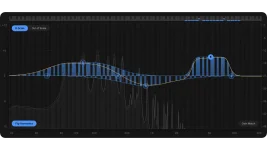
Scaler EQ Pro costs existing Scaler EQ owners $29 to upgrade, while the new plugin itself launches at $99 on September 23, 2026. The price is low enough to make the upgrade look automatic, but the useful question is what your $29 actually changes.
The new Scaler EQ Pro feature set keeps the old musical core, then adds a rebuilt filter engine, variable slopes, dedicated bass and high-frequency compression, Continuous Gain Match, Tilt and Notch filters, plus MIDI-controlled Live Mode. Existing Scaler EQ users are not buying the basic idea again. They are buying more control around an idea they already own.
Per-band dynamics are a good example of why the comparison gets messy. Scaler EQ could already turn bands into dynamic processors with threshold, ratio, attack and release controls, including sidechain operation. The older Scaler EQ 1.1 update even added a sidechain input preset and assignable scale switching, so neither feature suddenly appeared with Pro.
The same applies to the musical EQ concept itself. Scaler's key-aware EQ patent describes processing where gain changes depend on a selected musical key and scale, with in-key and out-of-key frequencies treated differently. Pro rebuilds the filter technology around that approach, but the underlying note-aware idea is continuity, not a brand-new trick.
Scale switching is another carryover worth noticing. Original Scaler EQ could assign different keys and scales for automated changes, while Pro keeps multi-key handling rather than inventing the idea from scratch.
People who mainly use Scaler EQ for key detection, Magic Shelves, scale-aware boosts, mid-side shaping, or ordinary dynamic bands may find a lot of their day-to-day workflow unchanged. Pro matters more once the limitations around those familiar tools start getting in the way. The upgrade is less about replacing the old toolbox and more about widening the jobs it can handle without another plugin beside it.
Pro also adds dedicated Bass and High-Frequency Compressors instead of asking every dynamics job to live inside an EQ band. A dynamic EQ band reacts around its chosen frequency area, while the dedicated processors deal with broader low or high-frequency energy. Existing per-band dynamics therefore remain useful without making the new compressors redundant.
Continuous Gain Match handles another boring but useful problem by compensating for level changes while you work. Original Scaler EQ already had input and output meters, level controls, and peak limiters, but those tools still leave you responsible for matching loudness during comparisons. Automatic compensation makes aggressive EQ experiments easier to judge without constantly reaching for the output control.
Filter control gets less cramped as well. Continuously variable slopes replace the usual fixed-step choice, while new Tilt and Notch filters fill holes in the original band selection. The rebuilt Harmonic Peak engine is also meant to blend note-aware processing more smoothly into neighboring frequencies, which matters most when you use the musical bands as actual mix tools rather than obvious resonant effects.
Mac requirements move too. Scaler EQ lists macOS 10.14 or later, while Pro starts at macOS 12 and remains 64-bit only. A newer Mac or Windows production machine will probably clear those requirements without drama, but an older studio computer can run the original Scaler EQ while falling outside Pro's supported range.
Legacy sessions deserve the same check. Scaler EQ Pro is listed as VST3 and AAX on Windows, with AU added on macOS, while the original also lists VST. Producers keeping older hosts or archived projects alive for recall therefore have a concrete compatibility difference to deal with before the new MIDI and filter features even enter the picture.
The new Scaler EQ Pro feature set keeps the old musical core, then adds a rebuilt filter engine, variable slopes, dedicated bass and high-frequency compression, Continuous Gain Match, Tilt and Notch filters, plus MIDI-controlled Live Mode. Existing Scaler EQ users are not buying the basic idea again. They are buying more control around an idea they already own.
The upgrade keeps more of Scaler EQ than it replaces
Original Scaler EQ already detects key, lets you switch scales, and builds Harmonic Peak moves around notes in the selected key. Magic Shelf processing was already there too, along with stereo, mid and side operation, low-frequency mono control, input and output limiters, and dynamic processing on individual bands.Per-band dynamics are a good example of why the comparison gets messy. Scaler EQ could already turn bands into dynamic processors with threshold, ratio, attack and release controls, including sidechain operation. The older Scaler EQ 1.1 update even added a sidechain input preset and assignable scale switching, so neither feature suddenly appeared with Pro.
The same applies to the musical EQ concept itself. Scaler's key-aware EQ patent describes processing where gain changes depend on a selected musical key and scale, with in-key and out-of-key frequencies treated differently. Pro rebuilds the filter technology around that approach, but the underlying note-aware idea is continuity, not a brand-new trick.
Scale switching is another carryover worth noticing. Original Scaler EQ could assign different keys and scales for automated changes, while Pro keeps multi-key handling rather than inventing the idea from scratch.
People who mainly use Scaler EQ for key detection, Magic Shelves, scale-aware boosts, mid-side shaping, or ordinary dynamic bands may find a lot of their day-to-day workflow unchanged. Pro matters more once the limitations around those familiar tools start getting in the way. The upgrade is less about replacing the old toolbox and more about widening the jobs it can handle without another plugin beside it.
Scaler EQ Pro adds control where version one felt boxed in
The clearest upgrade is Live Mode. MIDI notes can drive the EQ response in real time, while velocity changes the amount of boost or cut and ADSR controls how the response develops. Performance Solo and Live Band Solo push the plugin away from ordinary corrective EQ and further into playable sound design.Pro also adds dedicated Bass and High-Frequency Compressors instead of asking every dynamics job to live inside an EQ band. A dynamic EQ band reacts around its chosen frequency area, while the dedicated processors deal with broader low or high-frequency energy. Existing per-band dynamics therefore remain useful without making the new compressors redundant.
Continuous Gain Match handles another boring but useful problem by compensating for level changes while you work. Original Scaler EQ already had input and output meters, level controls, and peak limiters, but those tools still leave you responsible for matching loudness during comparisons. Automatic compensation makes aggressive EQ experiments easier to judge without constantly reaching for the output control.
Filter control gets less cramped as well. Continuously variable slopes replace the usual fixed-step choice, while new Tilt and Notch filters fill holes in the original band selection. The rebuilt Harmonic Peak engine is also meant to blend note-aware processing more smoothly into neighboring frequencies, which matters most when you use the musical bands as actual mix tools rather than obvious resonant effects.
Compatibility can decide the upgrade before the new features do
The awkward part is system support. Original Scaler EQ supports Windows 7 or later, includes VST alongside VST3 and AAX, and even lists 32-bit Windows compatibility. Scaler EQ Pro moves to Windows 10 or later, drops the older VST format from its supported plugin list, and requires a 64-bit host.Mac requirements move too. Scaler EQ lists macOS 10.14 or later, while Pro starts at macOS 12 and remains 64-bit only. A newer Mac or Windows production machine will probably clear those requirements without drama, but an older studio computer can run the original Scaler EQ while falling outside Pro's supported range.
Legacy sessions deserve the same check. Scaler EQ Pro is listed as VST3 and AAX on Windows, with AU added on macOS, while the original also lists VST. Producers keeping older hosts or archived projects alive for recall therefore have a concrete compatibility difference to deal with before the new MIDI and filter features even enter the picture.