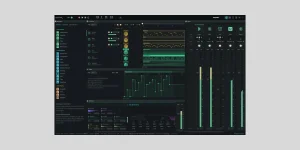
The OpenDAW SDK packages its project model, audio engine, MIDI tools, import and export code, and built-in devices for other web music applications. You can install it from npm instead of treating the finished OpenDAW interface as the only thing developers are allowed to build with.
The OpenDAW browser music architecture is useful context, but the SDK sits lower in the stack. OpenDAW's own studio interface is one application built on those pieces. Your app can provide a completely different interface while reusing the project and audio machinery underneath.
Inside studio-core are project mutations, bundles, storage, migration, validation, recovery, sample handling, recording, MIDI, DAWproject import and export, offline rendering, and engine selection. Save and load, undo and redo, and asset handling are already part of the foundation rather than chores every new music app has to invent again. In other words, this is not a skinning kit for the existing website. It is the layer you would reach for when building a teaching tool, a focused sequencer, an embedded editor, or another music app with its own front end.
The data side is split into smaller packages too. studio-boxes contains generated project data shapes, while studio-adapters wraps those records with behavior such as sequencing, parameter mappings, validation, and engine addresses. Developers can work at that level when a full Project abstraction is more than they need.
Nothing in this split forces you to copy OpenDAW's front end either. The studio app uses its own JSX runtime, while the core packages sit underneath it, so another interface can wrap the same project state and engine without dragging the studio shell along.
Some features exposed by the SDK already have practical paths in the main app. The OpenDAW DAWproject transfer workflow shows what the interchange layer is doing with notes, audio, devices, sends, routing, and metadata instead of leaving lib-dawproject as an abstract package name.
The published SDK already ships prebuilt WASM artifacts, including the real-time processor, offline rendering worker, engine binary, and device modules. This matters if you simply want to consume the SDK. Installing the package is a much smaller job than cloning the whole OpenDAW repository and rebuilding every audio component yourself. The repository even exposes a separate headless development target alongside the full studio target.
Full source development is heavier. OpenDAW currently requires Node.js 23 or newer for its development environment, plus Rust 1.82 or newer, the wasm32-unknown-unknown target, and a nightly Rust toolchain with rust-src when building the WASM engine. Miss the Rust side and the repository build cannot produce studio-core-wasm.
The architecture has a sensible reason for the split. WebAssembly AudioWorklet Csound documents the same broad browser-audio approach, pairing WebAssembly computation with AudioWorklet so real-time processing does not have to live on the main interface thread. OpenDAW pushes that idea into a full workstation engine with dynamically linked device modules.
Recording lives in this lower layer as well, rather than being hardwired into the visible studio. The OpenDAW audio and MIDI recording workflow shows the user-facing result, including multi-track arming, monitoring, loop takes, and step recording.
The repository says AGPL use requires the corresponding source under compatible terms when the covered work is distributed, and its network clause also matters for public server use. OpenDAW positions the commercial license as the alternative for closed-source or otherwise license-incompatible software and SaaS products.
None of this stops you from testing the SDK locally before deciding whether it fits. Start with the npm package, build the smallest project that can create and play something, and inspect studio-core before copying chunks of the full studio application. If the product later needs OpenDAW's cloud behavior, the OpenDAW cloud backup model is also worth understanding because storage and account choices quickly become product architecture rather than mere UI.
The OpenDAW browser music architecture is useful context, but the SDK sits lower in the stack. OpenDAW's own studio interface is one application built on those pieces. Your app can provide a completely different interface while reusing the project and audio machinery underneath.
The SDK is the engine layer, not the finished interface
Installing @opendaw/studio-sdk brings in the main OpenDAW libraries as one package. The useful center is studio-core, which the project documentation calls the headless heart of the DAW. It handles projects without requiring you to reuse OpenDAW's timeline, mixer layout, menus, or other visible studio UI.Inside studio-core are project mutations, bundles, storage, migration, validation, recovery, sample handling, recording, MIDI, DAWproject import and export, offline rendering, and engine selection. Save and load, undo and redo, and asset handling are already part of the foundation rather than chores every new music app has to invent again. In other words, this is not a skinning kit for the existing website. It is the layer you would reach for when building a teaching tool, a focused sequencer, an embedded editor, or another music app with its own front end.
The data side is split into smaller packages too. studio-boxes contains generated project data shapes, while studio-adapters wraps those records with behavior such as sequencing, parameter mappings, validation, and engine addresses. Developers can work at that level when a full Project abstraction is more than they need.
Nothing in this split forces you to copy OpenDAW's front end either. The studio app uses its own JSX runtime, while the core packages sit underneath it, so another interface can wrap the same project state and engine without dragging the studio shell along.
Some features exposed by the SDK already have practical paths in the main app. The OpenDAW DAWproject transfer workflow shows what the interchange layer is doing with notes, audio, devices, sends, routing, and metadata instead of leaving lib-dawproject as an abstract package name.
Published packages save you from rebuilding the Rust engine
OpenDAW's current audio path is not TypeScript all the way down. The repository documents studio-core-wasm as the bridge to a Rust audio engine, with the WASM engine becoming the default during 2026. The package links the browser-facing project system to compiled engine and device modules.The published SDK already ships prebuilt WASM artifacts, including the real-time processor, offline rendering worker, engine binary, and device modules. This matters if you simply want to consume the SDK. Installing the package is a much smaller job than cloning the whole OpenDAW repository and rebuilding every audio component yourself. The repository even exposes a separate headless development target alongside the full studio target.
Full source development is heavier. OpenDAW currently requires Node.js 23 or newer for its development environment, plus Rust 1.82 or newer, the wasm32-unknown-unknown target, and a nightly Rust toolchain with rust-src when building the WASM engine. Miss the Rust side and the repository build cannot produce studio-core-wasm.
The architecture has a sensible reason for the split. WebAssembly AudioWorklet Csound documents the same broad browser-audio approach, pairing WebAssembly computation with AudioWorklet so real-time processing does not have to live on the main interface thread. OpenDAW pushes that idea into a full workstation engine with dynamically linked device modules.
Recording lives in this lower layer as well, rather than being hardwired into the visible studio. The OpenDAW audio and MIDI recording workflow shows the user-facing result, including multi-track arming, monitoring, loop takes, and step recording.
Licensing matters before the prototype becomes a product
OpenDAW uses AGPL v3 or later for its open-source route and also offers a commercial license. A private experiment is one thing. Shipping OpenDAW inside a closed-source product or running a modified public service creates a licensing decision you should make before the SDK becomes buried inside a larger codebase.The repository says AGPL use requires the corresponding source under compatible terms when the covered work is distributed, and its network clause also matters for public server use. OpenDAW positions the commercial license as the alternative for closed-source or otherwise license-incompatible software and SaaS products.
None of this stops you from testing the SDK locally before deciding whether it fits. Start with the npm package, build the smallest project that can create and play something, and inspect studio-core before copying chunks of the full studio application. If the product later needs OpenDAW's cloud behavior, the OpenDAW cloud backup model is also worth understanding because storage and account choices quickly become product architecture rather than mere UI.