A converted MIDI note can have the right pitch and still start late, finish early, or hang past the original performance. Audio-to-MIDI has to guess more than note names, because every note also needs a beginning and an end.
You notice the problem fast on bass, vocals, guitar, and anything with long releases. The piano roll looks roughly correct, yet the new instrument feels lazy, clipped, or strangely legato beside the source.
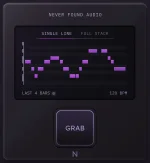
A capture tool such as the MG-Mini audio-to-MIDI capture workflow gives you editable note data, but the result is still a transcription. Treating every timing error as bad quantization usually makes the cleanup worse.
The second decision is activity. Once a pitch appears, the converter has to decide whether it is still the same note, a new note at the same pitch, or a wobble inside the original one. Vibrato and legato singing are awkward here because real performances do not arrive as tidy rectangles.
The last decision is offset, where the note stops. Reverb, sustain, fret noise, long releases, and overlapping resonance can keep energy hanging around after the player has mentally moved on, so the generated note can run too long even when its pitch and start are fine.
Google's Onsets and Frames transcription model separated note beginnings from frame-by-frame pitch activity for exactly this kind of reason. A note starting and a note continuing are related events, but they are not the same detection problem.
Check the source and MIDI together before touching the grid. If nearly every note begins late by about the same amount, you may be hearing a global region offset, track delay, or a slow attack in the destination patch rather than dozens of separate transcription mistakes.
A pad is the obvious trap. Its MIDI note can start exactly on the source transient while the sound blooms 80 or 100 milliseconds later, so dragging the MIDI earlier appears to fix the part even though you are compensating for the instrument envelope instead of the conversion.
Individual errors look different. One consonant may create a tiny extra note, a bass slide may split into two events, or a held vocal may get chopped because the detector briefly loses confidence in the pitch. Those need local edits, not a full-region timing shove.
Wrong note lengths deserve their own pass too. A sustaining synth will expose overlaps that were barely audible in the original recording, while a pluck can make an overlong MIDI note seem harmless because the patch dies before the note-off arrives.
Ableton makes this especially explicit because its conversion system uses transient markers to determine divisions between notes. The useful lesson is broader than one DAW. If the audio has already been warped, flexed, sliced, or tempo-corrected, compare the converter against the edited audio you actually fed it, not against an earlier bounce in your head.
Soft attacks are another repeat offender. A singer can begin with breath and consonant noise before the vowel settles onto pitch, so there is no universally obvious instant where the MIDI block should begin. Moving the note to the first audible sound may feel early, while moving it to stable pitch may feel late.
Same-pitch legato causes the opposite headache. Two repeated notes can blur into one long event when there is no clean dip between them, especially on sustained vocals or instruments with heavy ambience. Splitting the MIDI manually is often more faithful than forcing a finer quantize grid.
The fastest cleanup order is to listen for starts first, then inspect endings, then judge the destination sound. Fix clear false splits and missing boundaries before quantizing anything, because once the note structure is wrong, a perfect grid only gives you neatly aligned mistakes.
Leave small pushes and pulls alone when they match the source. If a vocal leans into beat three or a bass note arrives slightly ahead of the kick in the recording, correcting that difference in MIDI changes the performance rather than the transcription.
You notice the problem fast on bass, vocals, guitar, and anything with long releases. The piano roll looks roughly correct, yet the new instrument feels lazy, clipped, or strangely legato beside the source.
A capture tool such as the MG-Mini audio-to-MIDI capture workflow gives you editable note data, but the result is still a transcription. Treating every timing error as bad quantization usually makes the cleanup worse.
Note timing is really three separate decisions
The first decision is onset, the moment the system decides a note actually started. A picked bass note gives it a sharp clue, while a soft vocal vowel, bowed note, swell, or slide can ease into pitch without a clean little flag saying start here.The second decision is activity. Once a pitch appears, the converter has to decide whether it is still the same note, a new note at the same pitch, or a wobble inside the original one. Vibrato and legato singing are awkward here because real performances do not arrive as tidy rectangles.
The last decision is offset, where the note stops. Reverb, sustain, fret noise, long releases, and overlapping resonance can keep energy hanging around after the player has mentally moved on, so the generated note can run too long even when its pitch and start are fine.
Google's Onsets and Frames transcription model separated note beginnings from frame-by-frame pitch activity for exactly this kind of reason. A note starting and a note continuing are related events, but they are not the same detection problem.
Quantizing the whole clip can fix the wrong thing
Open a messy conversion, and the grid practically begs you to select everything and quantize it. Sometimes that works, especially when the performance was meant to be rigid, but it can also hide the actual fault by moving good note starts while leaving bad note endings untouched.Check the source and MIDI together before touching the grid. If nearly every note begins late by about the same amount, you may be hearing a global region offset, track delay, or a slow attack in the destination patch rather than dozens of separate transcription mistakes.
A pad is the obvious trap. Its MIDI note can start exactly on the source transient while the sound blooms 80 or 100 milliseconds later, so dragging the MIDI earlier appears to fix the part even though you are compensating for the instrument envelope instead of the conversion.
Individual errors look different. One consonant may create a tiny extra note, a bass slide may split into two events, or a held vocal may get chopped because the detector briefly loses confidence in the pitch. Those need local edits, not a full-region timing shove.
Wrong note lengths deserve their own pass too. A sustaining synth will expose overlaps that were barely audible in the original recording, while a pluck can make an overlong MIDI note seem harmless because the patch dies before the note-off arrives.
The source can move the boundaries before conversion
Some DAWs use transient markers, or other analyzed timing information when turning audio into MIDI. Move those markers, warp the clip, or stretch its timing first and you may change where the converter thinks note divisions belong before any MIDI exists.Ableton makes this especially explicit because its conversion system uses transient markers to determine divisions between notes. The useful lesson is broader than one DAW. If the audio has already been warped, flexed, sliced, or tempo-corrected, compare the converter against the edited audio you actually fed it, not against an earlier bounce in your head.
Soft attacks are another repeat offender. A singer can begin with breath and consonant noise before the vowel settles onto pitch, so there is no universally obvious instant where the MIDI block should begin. Moving the note to the first audible sound may feel early, while moving it to stable pitch may feel late.
Same-pitch legato causes the opposite headache. Two repeated notes can blur into one long event when there is no clean dip between them, especially on sustained vocals or instruments with heavy ambience. Splitting the MIDI manually is often more faithful than forcing a finer quantize grid.
The fastest cleanup order is to listen for starts first, then inspect endings, then judge the destination sound. Fix clear false splits and missing boundaries before quantizing anything, because once the note structure is wrong, a perfect grid only gives you neatly aligned mistakes.
Leave small pushes and pulls alone when they match the source. If a vocal leans into beat three or a bass note arrives slightly ahead of the kick in the recording, correcting that difference in MIDI changes the performance rather than the transcription.