A MIDI harmony generator works on note data, so its output can stay editable before any instrument turns those notes into audio. The distinction matters because current tools under the same broad label do very different jobs, from text-to-MIDI generation to audio vocal layering and melody-based harmonization.
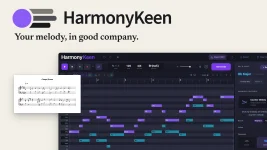
For an existing tune, a harmonizer with MIDI input is usually the cleaner starting point. You give it the melody you already wrote, let it build supporting voices, then keep those voices as editable note data. The HarmonyKeen MIDI harmony plugin follows this model by reading a monophonic melody, choosing fitting chords, applying voice-leading rules, and returning separate parts you can edit.
A free MIDI harmonizer plugin can be useful for quick experiments, but price is not the interesting dividing line. The bigger difference is whether the tool merely keeps notes inside a scale or actually treats the melody, chords, phrase shape, and movement between voices as related musical information.
The practical question is not only what notes harmonize together. It is also how each generated voice reaches its next note without jumping into a bad register, crossing another part, or obscuring the lead. The distinction between chord-relative and absolute MIDI notes is useful here because a fixed pitch and a note defined by its harmonic role behave differently when the progression moves.
Scale correction and chord tracking also solve different problems. A line can remain inside the key while still rubbing against a particular chord, which is why root tracking and scale correction are worth treating as separate jobs. A good harmony generator VST should make those relationships easy to inspect rather than hiding them behind a single “make it musical” control.
Processing order matters once other MIDI tools enter the chain. If an arpeggiator, transposer, quantizer, or phrase tool changes the melody before the harmonizer sees it, the harmony engine is working from different evidence. MIDI effect order can rewrite the same melody, so test one routing change at a time instead of moving several processors and guessing which one caused the new harmony.
A MIDI harmonizer in Ableton should ultimately leave you with clips you can edit on normal MIDI tracks. The same principle applies when you convert harmony to MIDI in Ableton rather than leaving the result trapped inside a generator. In Logic, the goal when you convert harmony to MIDI is similar. Get the notes onto tracks where the host can edit and arrange them independently.
The handoff deserves inspection. Check the first and last note of each region, overlapping notes, octave placement, and the destination instrument before assuming the harmony itself is wrong. A clean DAW MIDI handoff matters because the same correct chord can behave very differently through a monophonic synth, a short pluck, or a pad with a long release.
A vocal harmony generator VST can still be useful for non-vocal writing when its result is MIDI rather than rendered voices. Upper parts can drive strings, guitars, synths, or brass, while lower parts can become their own arrangement layer. One shared progression can also coordinate several independent parts, which is the useful idea behind one chord track steering several MIDI parts.
A harmony generator plugin should also be predictable enough for comparison. If the same input can be regenerated consistently, you can change one setting and hear what it actually did. Random or AI-driven tools can be useful for discovery, but they solve a different problem from a rules-based system that is supposed to preserve a melody while constructing supporting voices around it.
Browser tools and a free online harmony generator can still be handy when you only need a downloadable MIDI sketch. A DAW-based workflow earns its keep when the generated voices must stay synchronized with the session, respond to the same chord structure, and remain easy to revise after the arrangement changes.
For an existing tune, a harmonizer with MIDI input is usually the cleaner starting point. You give it the melody you already wrote, let it build supporting voices, then keep those voices as editable note data. The HarmonyKeen MIDI harmony plugin follows this model by reading a monophonic melody, choosing fitting chords, applying voice-leading rules, and returning separate parts you can edit.
A free MIDI harmonizer plugin can be useful for quick experiments, but price is not the interesting dividing line. The bigger difference is whether the tool merely keeps notes inside a scale or actually treats the melody, chords, phrase shape, and movement between voices as related musical information.
Keep melody, chords, and voice movement separate
A useful harmony line is not just a stack of legal scale notes. Anyone working out how to harmonize a minor melody eventually runs into the same problem. A note can belong to the key and still sound awkward over the chord underneath it, especially near a cadence or when the melody holds while the harmony changes.The practical question is not only what notes harmonize together. It is also how each generated voice reaches its next note without jumping into a bad register, crossing another part, or obscuring the lead. The distinction between chord-relative and absolute MIDI notes is useful here because a fixed pitch and a note defined by its harmonic role behave differently when the progression moves.
Scale correction and chord tracking also solve different problems. A line can remain inside the key while still rubbing against a particular chord, which is why root tracking and scale correction are worth treating as separate jobs. A good harmony generator VST should make those relationships easy to inspect rather than hiding them behind a single “make it musical” control.
Processing order matters once other MIDI tools enter the chain. If an arpeggiator, transposer, quantizer, or phrase tool changes the melody before the harmonizer sees it, the harmony engine is working from different evidence. MIDI effect order can rewrite the same melody, so test one routing change at a time instead of moving several processors and guessing which one caused the new harmony.
Route the result as ordinary editable MIDI
A MIDI harmonizer VST is most useful when the generated notes can leave the plugin cleanly. Separate MIDI parts let you change register, note length, velocity, instrumentation, and timing without regenerating the whole passage just because one inner voice feels stiff.A MIDI harmonizer in Ableton should ultimately leave you with clips you can edit on normal MIDI tracks. The same principle applies when you convert harmony to MIDI in Ableton rather than leaving the result trapped inside a generator. In Logic, the goal when you convert harmony to MIDI is similar. Get the notes onto tracks where the host can edit and arrange them independently.
The handoff deserves inspection. Check the first and last note of each region, overlapping notes, octave placement, and the destination instrument before assuming the harmony itself is wrong. A clean DAW MIDI handoff matters because the same correct chord can behave very differently through a monophonic synth, a short pluck, or a pad with a long release.
A vocal harmony generator VST can still be useful for non-vocal writing when its result is MIDI rather than rendered voices. Upper parts can drive strings, guitars, synths, or brass, while lower parts can become their own arrangement layer. One shared progression can also coordinate several independent parts, which is the useful idea behind one chord track steering several MIDI parts.
Judge the movement before judging the chord names
The best MIDI harmonizer is not necessarily the one that produces the most notes or the busiest voicings. Listen to each generated part by itself, then against the lead, then inside the full arrangement. Smooth motion, sensible register, clear phrase endings, and editable output usually matter more than a large preset count.A harmony generator plugin should also be predictable enough for comparison. If the same input can be regenerated consistently, you can change one setting and hear what it actually did. Random or AI-driven tools can be useful for discovery, but they solve a different problem from a rules-based system that is supposed to preserve a melody while constructing supporting voices around it.
Browser tools and a free online harmony generator can still be handy when you only need a downloadable MIDI sketch. A DAW-based workflow earns its keep when the generated voices must stay synchronized with the session, respond to the same chord structure, and remain easy to revise after the arrangement changes.