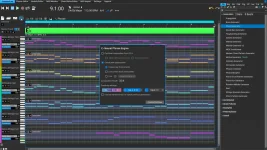
RapidComposer 6.2 added Mackie Control Universal support for transport, track mute and solo buttons, and track Expression control from hardware faders. The feature lives under MIDI settings and turns compatible control surfaces into something more useful than a generic note input.
MCU is a control protocol, not a promise that every knob, display, and button on a controller will suddenly work. RapidComposer exposes a specific subset in 6.2, so the practical job is knowing which controls are handled and what those controls actually change.
The RapidComposer 6.2 hardware control support is therefore narrower than full DAW-style surface integration. Transport, mute, solo, and fader-driven track Expression are the documented targets, which is enough to move common playback and balance decisions away from the mouse.
A later beta added hardware mute and solo handling plus faders mapped to track Expression. The final 6.2 release combines those pieces, so a compatible MCU surface can handle playback transport while its channel controls reach into individual RapidComposer tracks.
Start by making sure the controller is operating in an MCU-compatible mode rather than an ordinary MIDI keyboard or custom user mode. Some hardware exposes separate ports for keys, conventional MIDI controls, and its control-surface protocol, so selecting the wrong input can leave the keys working while the transport buttons do nothing.
RapidComposer places the MCU support in its MIDI settings. The exact device-side procedure depends on the controller, but the important signal path is simple. The controller must send its control-surface messages through the MIDI input RapidComposer is listening to.
Test transport before building a complicated mapping around it. Play, stop, and other supported transport actions give you a quick way to confirm the protocol connection, while mute and solo provide an equally obvious track-level check. A dead transport section usually deserves investigation before you blame the faders.
So when 6.2 says MCU faders are mapped to track Expression, it is describing a RapidComposer track-level performance control rather than promising conventional CC11 automation. Hardware fader expression control can therefore change the force of generated or played notes through velocity behavior without behaving like a synth's normal expression pedal lane.
The difference matters with orchestral and sampled instruments. A library may use MIDI CC11 for continuous loudness shaping while note velocity chooses attack character, sample layer, or initial intensity. Moving a RapidComposer MCU fader should not be treated as interchangeable with drawing CC11 data for such an instrument.
Track mute and solo are less ambiguous. RapidComposer already gives tracks dedicated mute and solo states, and MCU hardware buttons can operate those states in 6.2. You can remove a part, isolate one, or compare layers without aiming for small controls on screen during playback.
This makes the integration useful even if you never touch the faders. Transport plus mute and solo covers a surprisingly large share of hands-on auditioning when you are comparing generated phrases, checking arrangements, or listening to alternative track combinations.
Treat undocumented controls as unconfirmed rather than assuming a familiar DAW mapping will carry across. A controller may have eight faders, rotary encoders, display strips, and navigation keys, yet RapidComposer's announced implementation specifically names transport, mute, solo, and track Expression.
The beta history also explains why older search results can be misleading. The first public MCU note mentioned transport, while the next beta expanded support to mute, solo, and faders. Advice based on the earlier build can therefore undersell what the final release handles.
Controller branding is not the main compatibility test either. RapidComposer's beta notes named the SSL UC1 as one example while also referring to other MCU controllers, so Mackie-branded hardware is not the only relevant category. What matters is whether the device can present the MCU protocol in a form RapidComposer receives through its MIDI setup.
For a composition-heavy workflow, the useful boundary is clear. RapidComposer 6.2 lets hardware handle transport, track isolation, and its velocity-oriented Expression control, while deeper mixer and plug-in duties remain outside the documented MCU feature set.
MCU is a control protocol, not a promise that every knob, display, and button on a controller will suddenly work. RapidComposer exposes a specific subset in 6.2, so the practical job is knowing which controls are handled and what those controls actually change.
The RapidComposer 6.2 hardware control support is therefore narrower than full DAW-style surface integration. Transport, mute, solo, and fader-driven track Expression are the documented targets, which is enough to move common playback and balance decisions away from the mouse.
MCU transport control arrived first
RapidComposer's 6.2 beta history shows the controller support arriving in stages. An early MCU build handled transport from devices including the SSL UC1 and other controllers, with configuration routed through Settings and then MIDI.A later beta added hardware mute and solo handling plus faders mapped to track Expression. The final 6.2 release combines those pieces, so a compatible MCU surface can handle playback transport while its channel controls reach into individual RapidComposer tracks.
Start by making sure the controller is operating in an MCU-compatible mode rather than an ordinary MIDI keyboard or custom user mode. Some hardware exposes separate ports for keys, conventional MIDI controls, and its control-surface protocol, so selecting the wrong input can leave the keys working while the transport buttons do nothing.
RapidComposer places the MCU support in its MIDI settings. The exact device-side procedure depends on the controller, but the important signal path is simple. The controller must send its control-surface messages through the MIDI input RapidComposer is listening to.
Test transport before building a complicated mapping around it. Play, stop, and other supported transport actions give you a quick way to confirm the protocol connection, while mute and solo provide an equally obvious track-level check. A dead transport section usually deserves investigation before you blame the faders.
The faders control RapidComposer Expression
The word Expression needs care here because RapidComposer uses it for something different from the standard MIDI Expression controller. Its track Expression variation affects MIDI Note On velocities, and the documentation explicitly distinguishes it from MIDI CC11.So when 6.2 says MCU faders are mapped to track Expression, it is describing a RapidComposer track-level performance control rather than promising conventional CC11 automation. Hardware fader expression control can therefore change the force of generated or played notes through velocity behavior without behaving like a synth's normal expression pedal lane.
The difference matters with orchestral and sampled instruments. A library may use MIDI CC11 for continuous loudness shaping while note velocity chooses attack character, sample layer, or initial intensity. Moving a RapidComposer MCU fader should not be treated as interchangeable with drawing CC11 data for such an instrument.
Track mute and solo are less ambiguous. RapidComposer already gives tracks dedicated mute and solo states, and MCU hardware buttons can operate those states in 6.2. You can remove a part, isolate one, or compare layers without aiming for small controls on screen during playback.
This makes the integration useful even if you never touch the faders. Transport plus mute and solo covers a surprisingly large share of hands-on auditioning when you are comparing generated phrases, checking arrangements, or listening to alternative track combinations.
MCU support does not mean every control is mapped
Mackie Control as a broader protocol can support far more than RapidComposer currently documents. Fader banks, pan controls, displays, plug-in parameters, automation modes, and other surface functions exist across MCU implementations, but 6.2 does not claim blanket support for all of them.Treat undocumented controls as unconfirmed rather than assuming a familiar DAW mapping will carry across. A controller may have eight faders, rotary encoders, display strips, and navigation keys, yet RapidComposer's announced implementation specifically names transport, mute, solo, and track Expression.
The beta history also explains why older search results can be misleading. The first public MCU note mentioned transport, while the next beta expanded support to mute, solo, and faders. Advice based on the earlier build can therefore undersell what the final release handles.
Controller branding is not the main compatibility test either. RapidComposer's beta notes named the SSL UC1 as one example while also referring to other MCU controllers, so Mackie-branded hardware is not the only relevant category. What matters is whether the device can present the MCU protocol in a form RapidComposer receives through its MIDI setup.
For a composition-heavy workflow, the useful boundary is clear. RapidComposer 6.2 lets hardware handle transport, track isolation, and its velocity-oriented Expression control, while deeper mixer and plug-in duties remain outside the documented MCU feature set.